Plan before every date is final
Add rough ideas or confirmed dates, then bring parks, stays, meals and notes into one day-by-day view.

For people planning their own Walt Disney World vacation
Plan parks, restaurants, stays and reminders in one flexible trip planner. Move plans with drag and drop, prepare your dining reservation queue, and get notified when changes affect your trip.
Cancel before your trial ends and you won’t be charged.
When the spreadsheet stops helping
Moving a park day can mean shifting meals, rewriting notes and checking whether everything still makes sense. Adding a restaurant means finding its location, menu and booking page, then typing the details into another row.
When dining reservation morning arrives, the choices, times and backup ideas you need can be spread across tabs and notes. Meanwhile, booking windows open and park hours change, leaving you to keep the plan up to date by hand.
PlanTheMagic keeps those details connected, so the plan can change without becoming another part-time job.
How it works
Add rough ideas or confirmed dates, then bring parks, stays, meals and notes into one day-by-day view.
Turn restaurant choices into an orderly queue with booking dates, direct Disney links and alternatives ready.
Check the latest day from your phone, keep it available offline and receive a useful briefing each morning.
See the planner
Start planning before every date is final. As the vacation takes shape, parks, meals, stays, booking details, menus, notes and reminders remain connected to the same day-by-day plan.
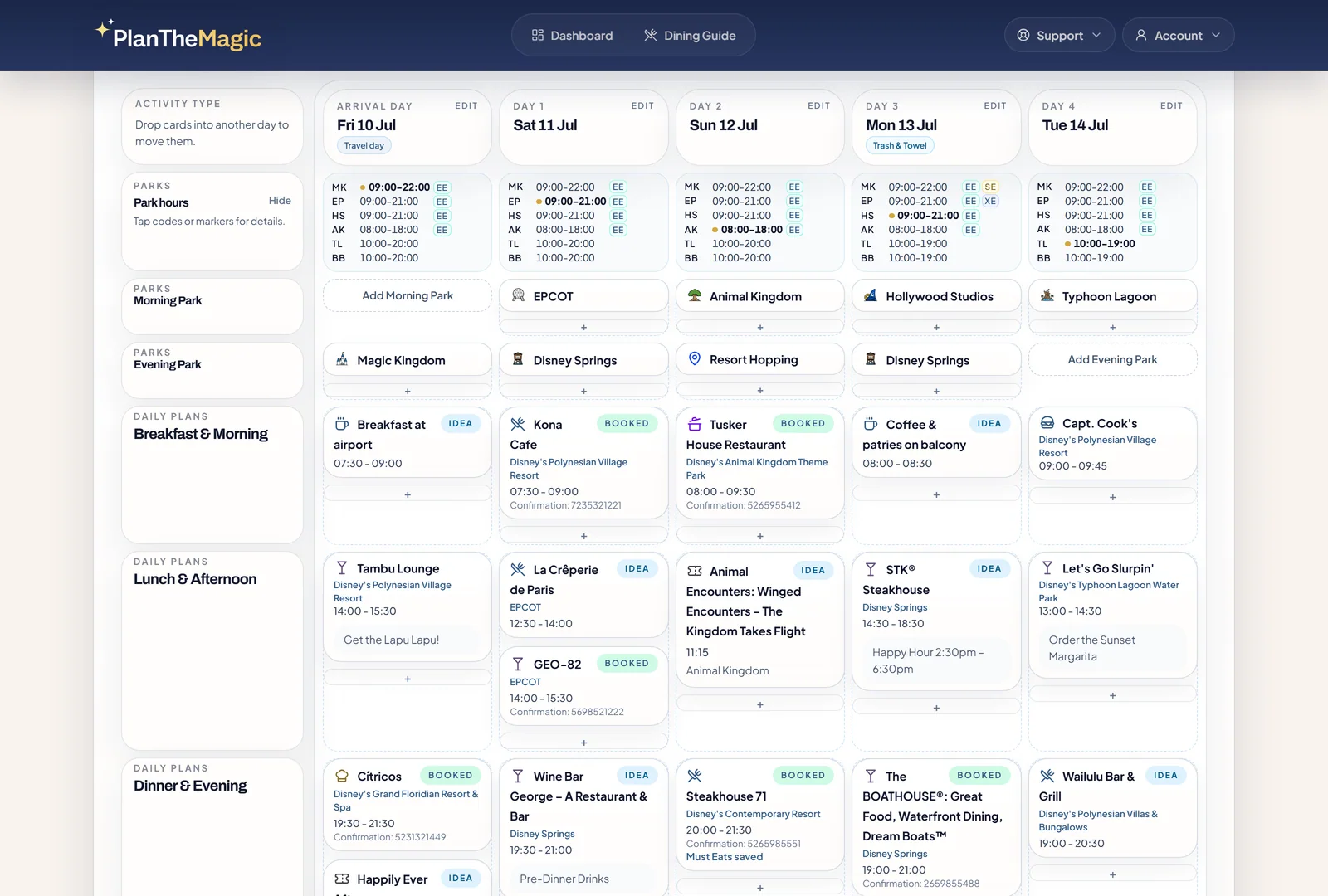
Multi-day view
Scan several trip days at once, then drag meals, park plans, notes, and tasks to another valid spot when your schedule changes.
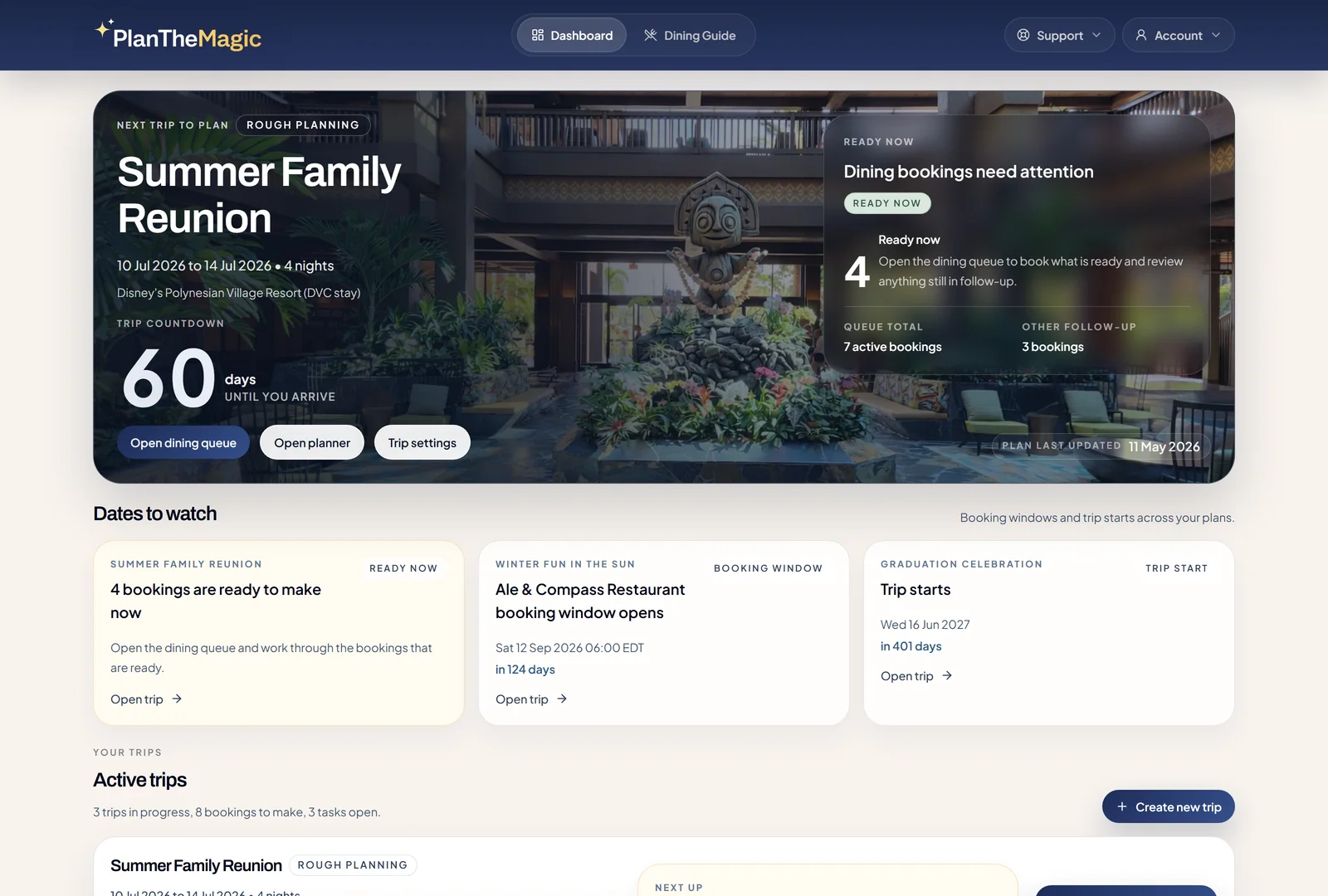
Dashboard
Upcoming trips, booking dates, dining reservations to make, and later reminders stay visible when you sign in.
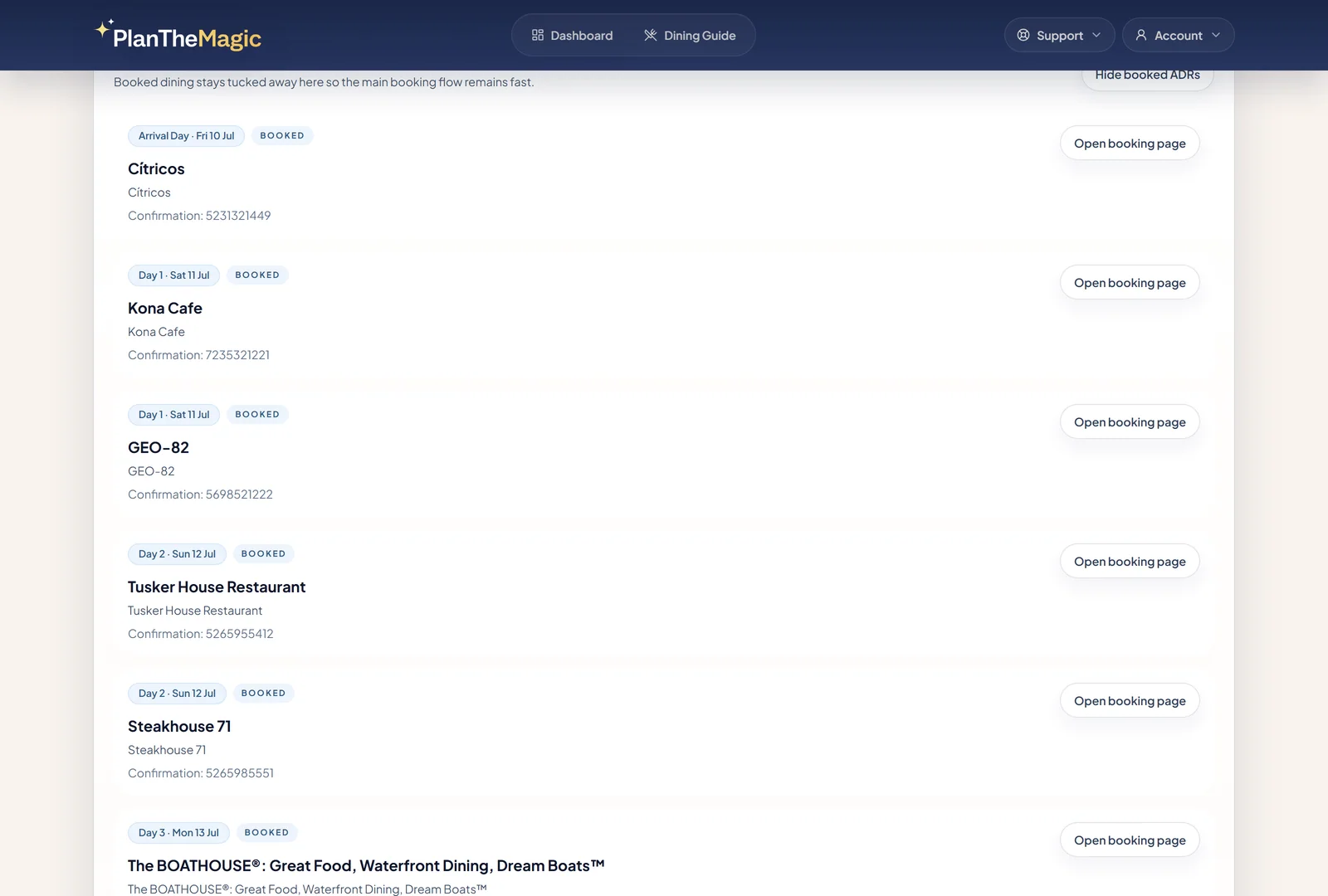
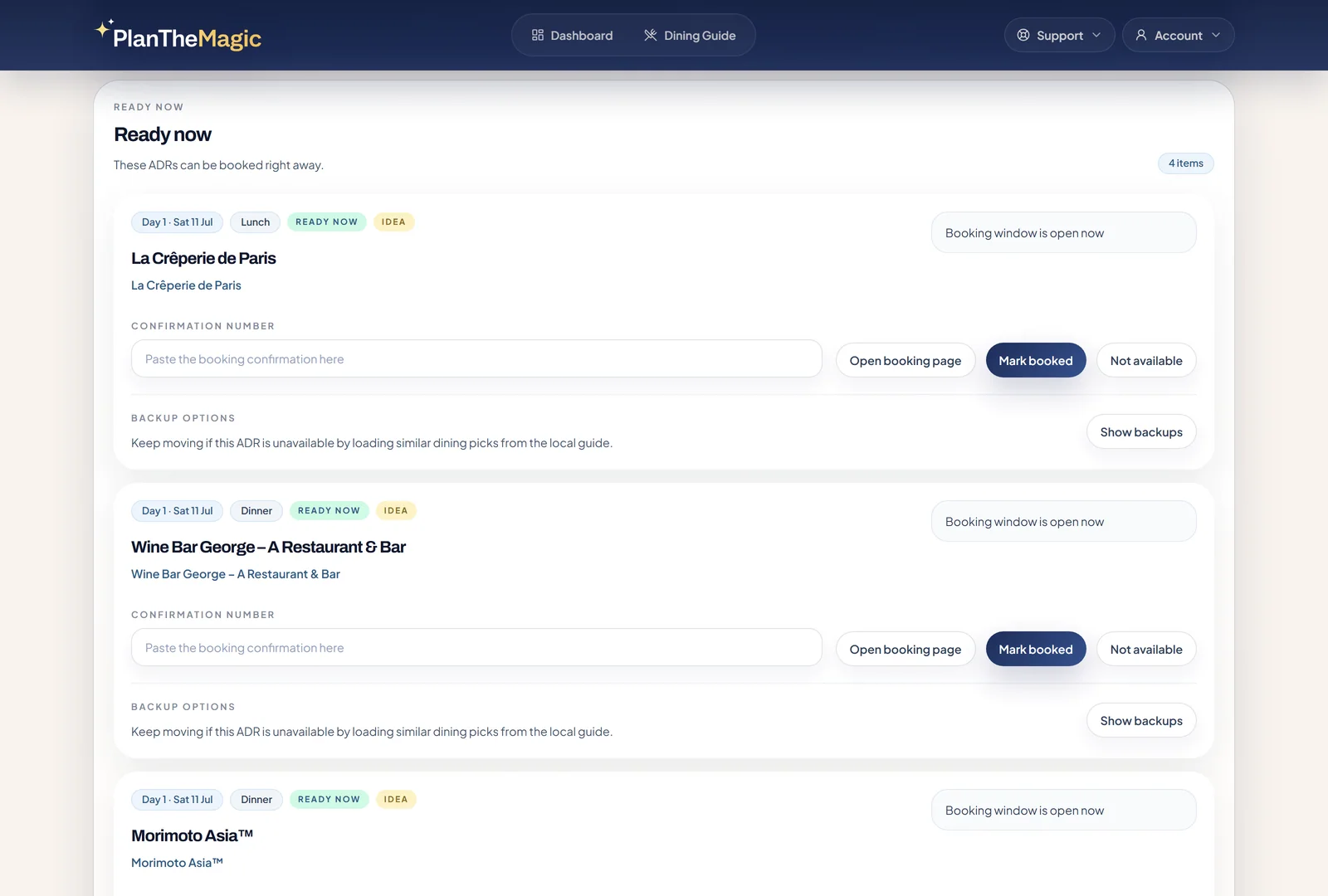
Dining reservations
Meals are grouped by what you can do next: book now, wait for the booking date, check again, or save a confirmation.
One connected trip
See where you are staying, which park you are visiting, what still needs booking, and the latest details for each day without comparing several versions of the vacation.
PlanTheMagic continues helping after the itinerary is built, with timely reminders, park-hour monitoring, daily vacation briefings, dining insights and offline access to your saved plan.
Paid planner features
Use PlanTheMagic while you compare ideas, book restaurants, adjust park days, and check the plan during the trip.
Trip planning
Drag meals, park plans, notes, and tasks to a new place when the vacation changes.
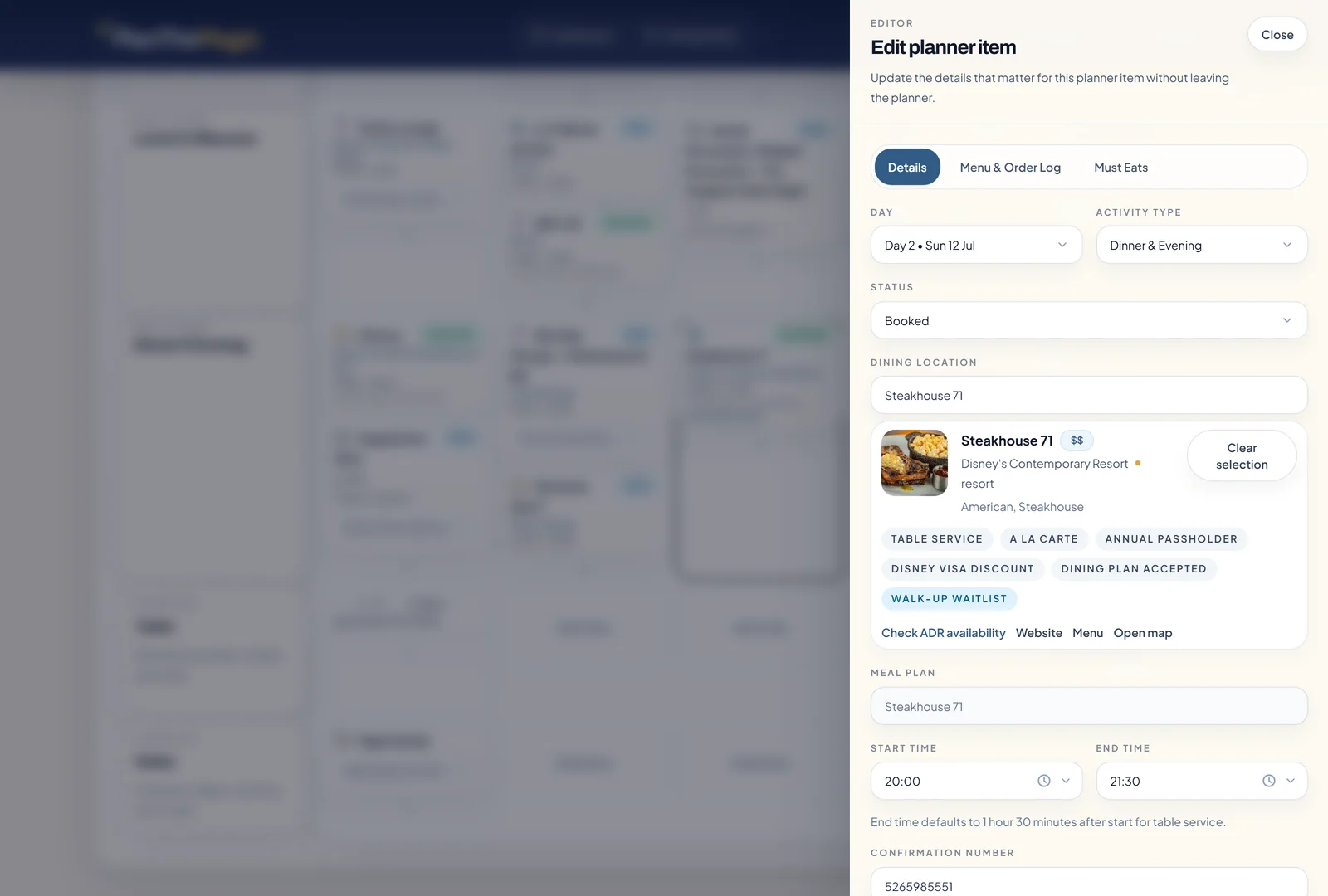
On desktop, move plans to another day or part of the day instead of copying rows and retyping the details.
The restaurant, reservation notes, and other useful context stay attached to the item you moved.
Dining bookings
Work through an orderly reservation queue with direct links to the right Disney booking pages.
PlanTheMagic tracks Disney booking dates, separates what is ready from what needs checking later, and saves confirmations beside each meal.
If your first choice is unavailable, use a suitable alternative and place it into the same meal without rebuilding that part of the day.
Park days
See current park hours beside the days they affect and receive an email when a relevant change needs your attention.
PlanTheMagic continually monitors published park hours, including early entry, extended evening, and special-hour markers.
For booked trips, park-hour changes can reach your inbox before you travel or while the vacation is underway.
Dining picks
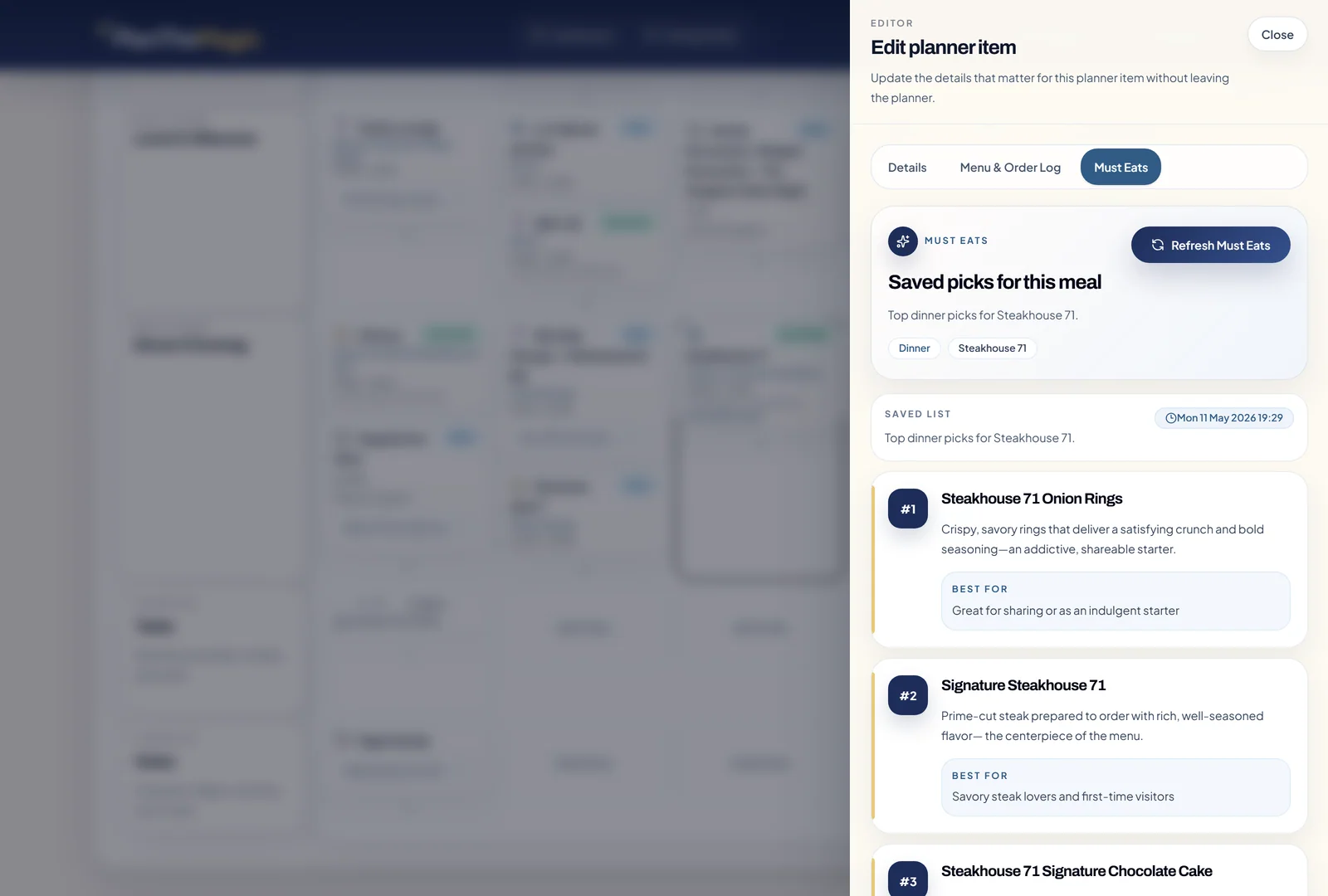
Must Eats uses current menus and recent dining research to highlight three dishes worth considering.
For supported restaurants, the shortlist stays grounded in dishes that are currently on the menu.
Each recommendation explains why the dish stands out and who in your group may enjoy it most.
Order memory
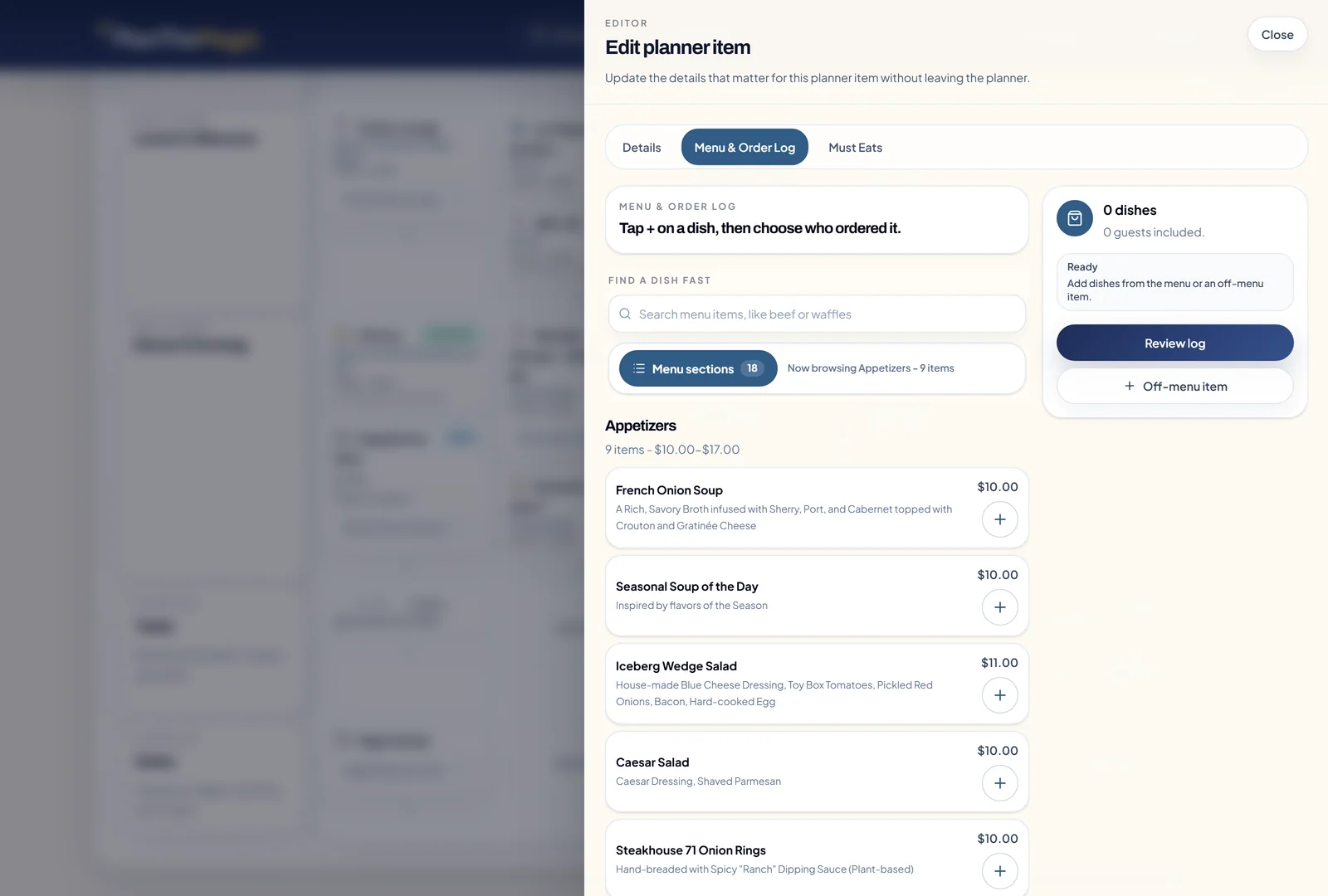
Open the restaurant menu, tap the dishes each guest ordered, and keep the experience ready for your next visit.
Add ratings and notes by guest, including custom items when something is not shown on the menu.
When you return, compare your previous order with the current menu instead of trying to remember what everybody had.
Helpful nudges
Receive timely briefings before and during the vacation, then keep your saved plan available offline on mobile.
Each trip morning, your inbox can recap the day and remind you when a restaurant in the plan accepts a discount you have saved.
Your mobile plan remains readable when Disney Wi-Fi or mobile data is unreliable.
Free tools
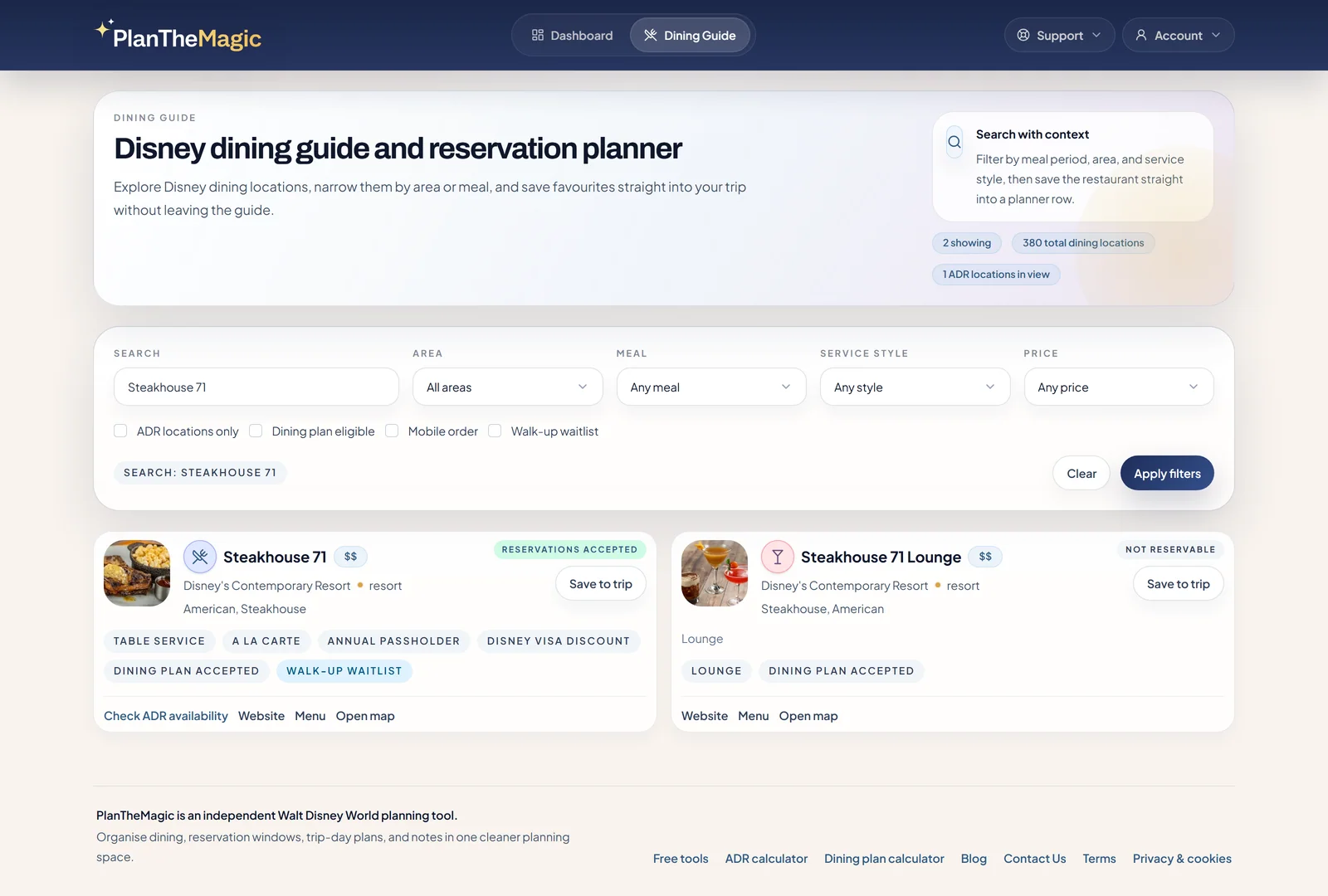
Find the date you can start making Disney dining reservations or compare Disney dining plan costs, then use the planner when you are ready to organize the whole vacation.
Latest planning notes
Read about dining changes, park-hour updates, and planning tips you can use while building your trip.
Dining plans
A practical look at what the returning Deluxe option means before you compare meal value.
Read the note : What changed when Disney brought Deluxe dining back for 2027Product update
See how automatic park-hour updates keep trip-day plans easier to trust when Disney changes operating times.
Read the note : Park hours now update automatically in PlanTheMagicPlanning tips
Turn a busy Disney food guide into a realistic Hollywood Studios plan with less schedule clutter.
Read the note : How to plan May the 4th food without overloading the dayBuilt by Disney trip planners
We are Disney Vacation Club members, annual passholders and enthusiastic trip planners who have dined at almost every restaurant across Walt Disney World.
Our spreadsheet could record a vacation, but it could not move connected plans cleanly, prepare us for ADR morning, watch park hours or remember what everybody ordered. PlanTheMagic began as the tool we wanted for our own trips, and we are now making it available to other people who enjoy planning every detail.
Repeat visitors
Created by Disney Vacation Club members and annual passholders for the way repeat vacations actually change.
Dining knowledge
Shaped by first-hand experience across almost every restaurant at Walt Disney World.
A practical starting point
Designed to preserve the detail planners enjoy while removing the repetitive upkeep.
Common questions
It is for anyone planning their own Walt Disney World vacation, from first-time visitors to repeat guests who enjoy working through every detail.
Yes. Plan by Trip Day 1, Trip Day 2, and so on, so you can rough-plan the trip early and move the dates later without rebuilding each park day and meal.
A spreadsheet can record a trip, but every change still needs manual upkeep. PlanTheMagic lets you move connected plans, fills in useful Disney restaurant details, tracks booking work, and keeps the latest version ready on desktop or mobile.
No. You remain the planner. PlanTheMagic gives you a better place to organise, research, move and use your own choices instead of replacing them with a generic itinerary.
Your planned restaurants are organised by what you can act on next, with direct links to Disney booking pages. Save successful bookings as you work and consider suitable alternatives when your first choice is unavailable.
Yes. Build and adjust the wider trip on desktop, then check your saved plan on your phone. Offline access keeps those plans readable when Disney Wi-Fi or mobile data is unreliable.
Yes. You can export your planner data whenever you want to keep a copy outside the app.
No. You can plan Disney Resort stays and non-Disney stays in the same trip planner.
After your 7-day free trial, you can keep using the same planner for $24/year. Cancel before your trial ends and you won't be charged.
No. PlanTheMagic is an independent Walt Disney World planning tool and is not affiliated with or endorsed by The Walt Disney Company.
Ready to leave the spreadsheet juggling behind?
See the whole vacation at a glance, prepare for ADR day and keep the latest details ready throughout the trip.